
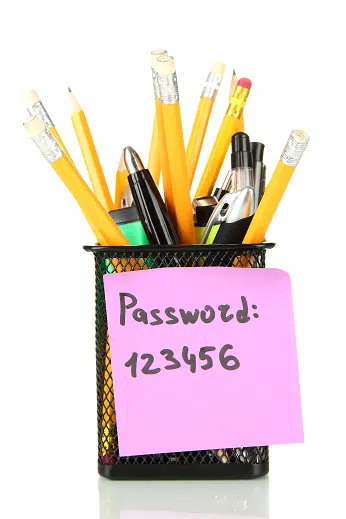
Better than any Oscar nominations or National Basketball Association (NBA) rankings, there’s a different kind list that keeps cybersecurity experts and consumer advocates on the edge of their seats each year. This list, compiled from actual, intentional user mistakes, ranks the worst—make that “least secure”—passwords by how frequently they’re used.
Note: Why do far too many consumers continue to use ridiculously weak passwords? Because of a misunderstanding of how passwords are “guessed” by hackers. Despite what people might think, no one sits at a computer and types in one attempt after another. Instead, they deploy software that is capable of “guessing” random words, phrases and character combinations at literally billions of guesses per second.
(As one tech user said to the Identity Theft Resource Center when justifying the use of “password” as his online banking password, “It’s so easy no one would think to guess that one.” Unfortunately, that’s not how this works.)
This year’s list of worst passwords not only includes some that have been haunting the security industry for years, it also includes a few newcomers.
Taking the number one spot once again was “123456.” Interestingly, after the #2 spot went to “password,” the remaining top seven most commonly used passwords were the number variations “1234566789,” “12345678,” “12345,” “111111,” and “1234567.”
There were some odd choices this year, as the #8 spot went to “sunshine” and #10 was “iloveyou.” Number 9 was no surprise, unfortunately, as the ever-popular “qwerty” landed there.
“Admin” and “football” made the list again this year, as did “123123.” A shockingly high number of tech users thought they could beat the bots by holding down the shift key while hitting those number keys, which means “!@#$%^&*” was the 20th most commonly used password this year. Not to be outdone by the qwerty fans, a few more people tried to outwit the hackers by running their passwords straight up the bottom row of keys: “zxcvbnm” took spot #26.
People’s first names were surprisingly common passwords. Jordan, Joshua, George, Harley, Summer, Thomas, Buster, Hannah, Daniel and more were all in the top fifty.
The complete list of 100 most commonly used passwords is available by clicking here, but remember—it’s a guide of what not to do, not a list of passwords that are so simple no one would think you’d ever use them. So what kind of password should you use?
A strong, unique password is one that you only use on one account (not repeating it on multiple accounts), and that contains a long, virtually unguessable combination of letters, numbers, and symbols. Eight characters is typically considered the bare minimum for security but the longer the password, the harder it is for hacking software to guess it. While you’re creating this hopefully-foolproof password, remember to avoid common words, phrases, variations on your name, or the name of the website where the account was created.
So how are you supposed to remember a really long, secure password and make a separate one for each account? You could use a widely-respected password manager software, but there’s always a risk of those companies’ servers being hacked. If you’re really struggling to protect yourself, you can come up with your own cheat.
For example, pick a song or a book title that you will always remember, such as, “These Boots Were Made for Walking.” Now, pick a long number combination, like your childhood phone number. You can weave together the first letter of each word in the title (alternating uppercase and lowercase) and each digit in the phone number so that you end up with something that looks like “?T2b5W6m1F9w67!” Note the extra symbols at the beginning and end.
This fairly strong password is only good for one of your accounts, though. So here are a couple of things to try:
1. You can also weave in the name of the website, like PayPal or Amazon, by putting one of the letters at the beginning and one of the letters at the end. That way, you only have to remember two letters for each account and your strong password in the middle. This is NOT ideal from a security standpoint, but it’s far better than reusing your dog’s name on every account you own.
2. Use your very strong password for your email and simply click “forgot my password” every time you log into a different sensitive account. You’ll get an email to change your password on that site, and you can change it to anything you like—even just mashing keys on your keyboard—since you’re going to change it again the next time you log in.
There’s something else to consider about password security. Changing your passwords from time to time is important for keeping hackers out of your accounts. The ability to steal or purchase databases of old login credentials means someone could get your current password by stealing information that’s several years old. Protect yourself with regular updates to your password.
Contact the Identity Theft Resource Center for toll-free, no-cost assistance at (888) 400-5530. For on-the-go assistance, check out the free ID Theft Help App from ITRC.